
Run your shop from one screen - online or off
Sales, stock, purchases, customer accounts and reporting for one shop or a whole branch network - each business fully private and isolated. Scan barcodes at the till, keep selling when the internet drops, and watch it all sync the moment you're back online.
Your Sales Person is free - $10 a month covers you and your till.
No card needed. Nothing to approve - you're selling in minutes.
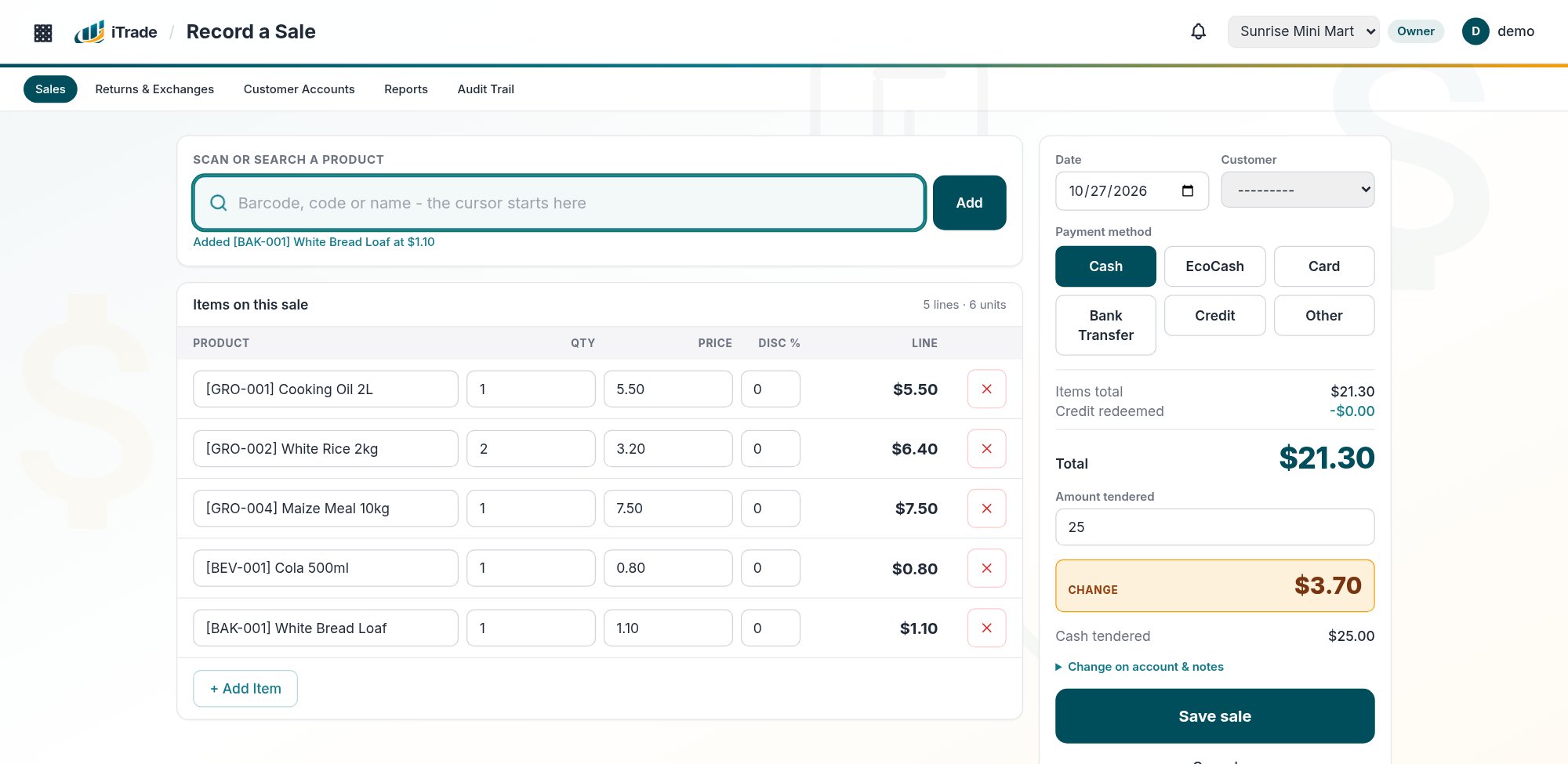
The phone & desktop apps keep selling with no signal, and sync the moment you're back.
Web, phone or till PC - the same account, the same data, always in step.
Add branches under one head office and transfer stock between them, whenever you need to.
Everything the till needs, nothing it doesn't
Built for the way a real shop actually runs - not a generic spreadsheet with a new coat of paint.
Works with no connection
The phone and desktop apps carry on recording sales, customers and change entries offline, then sync automatically the moment you're connected again.
Barcode scanning
Scan with a USB or Bluetooth scanner, or the phone's own camera, on sales, purchases and stock takes - or type a code and press Enter.
Head office & branches
Run more than one location under one head office, see them aggregated or apart, and transfer stock between branches with a full record of who moved what.
Customer accounts
Keep track of change owed as an IOU when there are no small notes at the till, and redeem it against a later sale - a proper ledger, not a scrap of paper.
A full audit trail
Every create, edit and delete on the things that matter is recorded automatically - who did it, when, and exactly what changed.
Reports that matter
End of Day, Sales, Stock and Stock Take reports, plus a live dashboard of this month's sales, stock value and what needs reordering.
Everyone sees exactly what they need to
A Sales Person gets sales and customer accounts. A Manager adds stock, purchases and reports. An Owner adds all of that plus the team, company settings and every branch. Nobody sees more than their role allows - and it's the same rule on the web, the phone and the desktop app.
Sales & customers
+ stock & reports
+ team & settings
Try it free for 30 days. Then one simple price.
Sign up and start selling in minutes - no card, nothing to approve, no call with us first. After that you pay per person who logs in - except your first Sales Person, who is free. An owner plus one Sales Person is just $10 a month.
Free for your first 30 days · billed in USD · pay monthly or up to 12 months ahead with EcoCash
- Point of sale with barcode scanning
- Stock, purchases & stock takes
- Customer accounts & credit
- Profit & loss and cash flow reports
- Unlimited branches, one bill
- Android, Windows & Linux apps
- Keeps selling offline
- Opening stock upload from Excel
What will I pay?
Count everyone who'll log in - owners, managers and sales people, across all branches. Your first Sales Person is free.
Pay with EcoCash straight from the app. If a payment runs late you keep working for a 5-day grace period, and a paused account comes back the moment it's paid.
Need help, or want to get set up?
Call or send us a WhatsApp message - a real person will get back to you.
Get the iTrade app
Already have a login? Install it and sign in with the same username and password - no separate account, no setup.
Android
Phones and tablets
- 1Open this page on the phone (or send yourself the link) and tap Download.
- 2Tap the downloaded file. Android will warn about installing from an unknown source the first time - choose “Allow” / “Install anyway”.
- 3Open iTrade and log in with your usual username and password.
Windows
Windows 10 / 11 desktop till
- 1Download the zip and extract it anywhere (e.g. the Desktop).
- 2Open the extracted folder and run iTrade.exe.
- 3Windows SmartScreen may warn once because the app isn’t code-signed - click “More info” then “Run anyway”.
Linux
Ubuntu / Debian / most distros
- 1Download the AppImage.
- 2Make it executable:
chmod +x iTrade-*.AppImage - 3Run it:
./iTrade-*.AppImage